
How to Check Bhumihin Krishak Bandhu Status Online (Step-by-Step Guide). If you are a beneficiary of the Bhumihin Krishak Bandhu Scheme in West Bengal, you can easily check your application and payment status online.
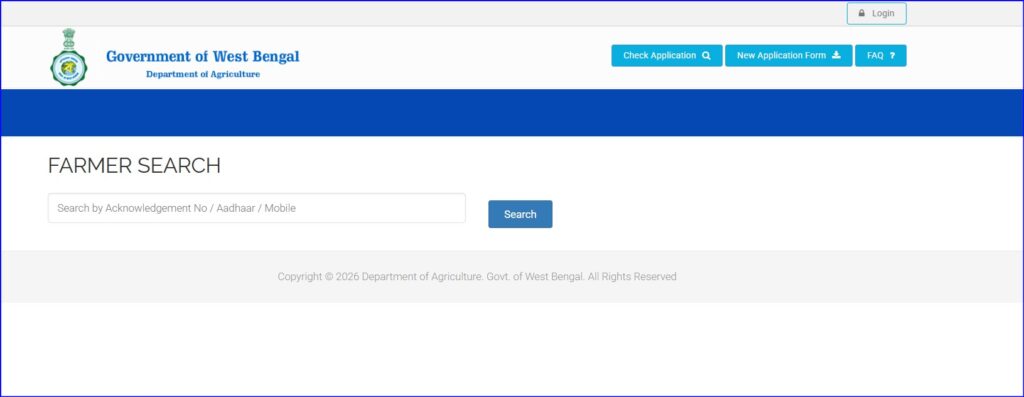
Step-by-Step Process
✅ Step 1: Visit the Official Website
Go to the status check page:
👉 https://krishakbandhu.wb.gov.in/agricultural-labour/farmer_search
✅ Step 2: Choose Search Option
You will see multiple options. Select any one:
- Aadhaar Number
- Mobile Number
- Voter ID
- Bank Account Number
- KBID (Krishak Bandhu ID)
✅ Step 3: Enter Details
- Enter your selected ID number
- Fill the captcha code correctly
✅ Step 4: Click on “Search”
Click the Search button to proceed
✅ Step 5: View Your Status
Your details will appear on the screen, including:
- ✔️ Beneficiary Name
- ✔️ Application Status (Approved / Pending)
- ✔️ Payment Status
- ✔️ Installment Details
Common Issues & Fixes
No Data Found
- Double-check your entered number
- Try another option (e.g., Aadhaar instead of mobile)
- Wait if your application is still under process
Payment Not Received
- Ensure your bank account is linked properly
- Check DBT status
- Contact your local agriculture office
Quick Summary
👉 Visit the official portal
👉 Enter your Aadhaar/mobile/KBID
👉 Click search
👉 Instantly check your status